Laser Marking Wood
When creating a permanent traceability mark, identifying mark, or decorative mark on wood products...
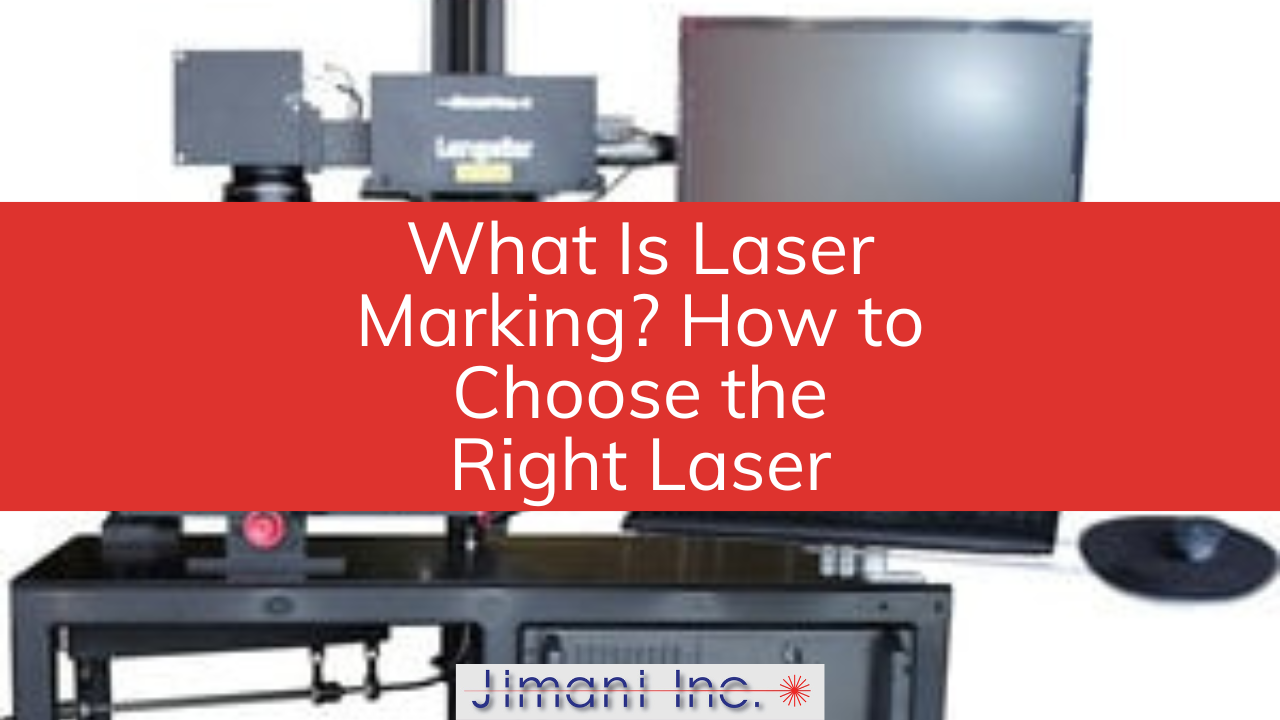
If you're trying to figure out which laser is right for your parts, the short answer is that the material decides. A fiber laser is the right tool for metals. A CO2 laser is the right tool for wood, glass, and most plastics. The longer answer — the one that actually matters when you're spending capital — depends on what you're marking, how deep, how fast, and what comes off the production line a year from now when you've stopped paying attention to the equipment.
This guide walks through what laser marking is, how the two main laser types differ, and how to think about the choice without getting lost in spec sheets. Most of what we cover here is grounded in the work we do every day in our own job shop, where we use the same Jimani Hybrid systems we sell to customers.
Quick Answer
Laser marking is the process of focusing a beam of laser light onto a material to create a permanent mark on the surface. Depending on the parameters, the laser either removes a thin coating, vaporizes the surface, or heats the material enough to change its color — producing text, logos, serial numbers, or 2D barcodes that resist fading, abrasion, and most solvents.
The mechanism is the same one that lets a magnifying glass burn a leaf. A simple lens collects sunlight and concentrates it on a small spot, and the heat does the rest. A laser marking system replaces the magnifying glass with an f-theta lens — a flat-field lens that holds focus across an entire marking plane rather than just one point — and replaces sunlight with a single-wavelength laser beam steered through the lens by a pair of computer-controlled mirrors.
Different materials absorb different wavelengths of light. That's the entire reason there's no single laser that marks every material well. If the wavelength matches the material's absorption profile, you get a clean mark. If it doesn't, the beam reflects off, passes through, or does nothing useful. Almost every laser marking system in production today falls into one of two wavelength categories: 1064 nm (fiber, YAG, vanadate, DPSS) for metals, and 10,600 nm (CO2) for organic and most non-metal materials.
Jimani has been running production marking jobs in our own shop since 1990, on the same fiber and CO2 platforms we sell. That working knowledge — what actually marks well at volume, what fights you, what fails after six months — is built into every Hybrid fiber laser system we ship.
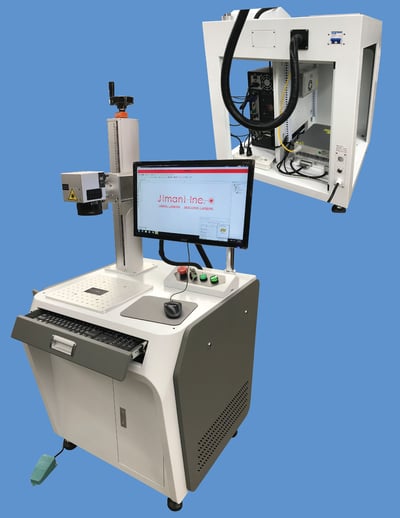
For all metals — bare, plated, anodized, or painted — a 1064 nm fiber laser is the right tool. The wavelength is well-absorbed by nearly every common metal substrate, including aluminum, stainless steel, brass, copper, titanium, and tool steel, which lets a fiber laser handle ablation, deep engraving, and stain marking on the same machine with parameter changes alone.
The same fiber laser that ablates anodize off a 6061 aluminum bracket at 30 inches per second will also deep-engrave a serial number .015 inch into a steel firearm receiver, given the right power, speed, and pass count. That flexibility matters in production. A shop that marks aerospace nameplates one week and medical instruments the next doesn't want a separate machine for each — and with a fiber system, doesn't need one.
Standard configurations cover most applications. Marking anodized aluminum typically runs at 12–15 watts of laser output power and 25–40 inches per second for the damage pass, followed by a lower-power cleanup pass. Deep engraving in steel runs at 5–10 inches per second across multiple passes to keep the trough walls clean. Stain marking stainless steel requires a slightly defocused beam and produces a dark oxide layer with no penetration — useful for medical instruments that get repeatedly sterilized.
Jimani's Hybrid Desktop, Enclosed, and OEM configurations are built around JPT MOPA fiber laser sources in 30, 60, 80, and 100-watt outputs. Each ships with Galvo Tech scanheads, Opex F-Theta lenses, and Leopardmark or Prolase software — the same components we use on our own production floor.
Modern CO2 markers are RF-excited sealed-beam lasers — quiet, long-lived, and largely free of the maintenance routines that defined older CO2 platforms. Most operate at a 5 KHz pulse frequency by default, with marking speed and output power as the primary variables an operator adjusts. CO2 wavelengths produce a wider beam than fiber lasers, so the line widths are coarser, but the trade-off is workable for the materials they're designed to handle.
The line that matters: CO2 will not mark bare metal, period. It will engrave painted or coated metal because the laser interacts with the coating, but the underlying substrate sees nothing. If your application is industrial nameplates, signage, presentation boxes, leather goods, or laser-cut acrylic, CO2 is the right tool. If it's a metal part that needs to survive a 10-year service life and stay readable for an audit, it isn't.
Jimani offers CO2 laser systems using US-made Synrad sources from 30 to 100 watts. We also run CO2 work in our job shop daily, which means the system specifications we recommend are the same ones we trust on our own production floor.
The wall-plug numbers tell most of the story.
A YAG laser typically draws 4–5 kilowatts of input power to produce 20 watts of usable laser output, with the excess dissipated as heat that requires an external chiller. A fiber laser produces the same 20 watts on roughly 200 watts of input power, with the excess heat removed by integrated fans. That efficiency difference compounds across a multi-shift operation, and it eliminates the chiller as a separate maintenance item.
Lifespan is the other consideration. YAG lasers contain a laser rod, mirrors, Q-switches, mode-restricting apertures, and a beam expander — every one of which is a potential service point. For these reasons YAG lasers are rarely used in new 1064 nm laser marking systems.
A fiber laser's lasing medium is the doped fiber itself, sealed inside the laser module. There's nothing for an end user to adjust, nothing to replace, and no power degradation curve to plan around. We've fielded Jimani fiber laser systems that have run a decade in production without a service call.
This is why fiber has become the industry standard for metal marking. The FAQ on our site covers the durability and maintenance specifics in more detail for buyers comparing platforms.
The trade-off comes down to pulse width. A short laser pulse delivers its energy over a very short time, giving the material less time to absorb heat and conduct it into surrounding areas. That's an advantage on thin-film coatings, certain polymers, and materials where any thermal damage shows up as discoloration or warping. It's a disadvantage when you need to engrave .010 inches into hardened steel — there simply isn't enough energy per pulse to remove material at a useful rate.
Standard fiber lasers run pulse widths in the 100–120 nanosecond range, which sits in the middle of the range and handles the majority of metal marking applications without compromise. MOPA-type fiber lasers — like the JPT sources used in Jimani Hybrid systems — allow the operator to adjust the pulse width over a range, closing most of the gap with vanadate and DPSS systems while preserving their durability and efficiency advantages.
From our own production experience, the question for most buyers isn't whether vanadate or DPSS could do the job. It's whether the application justifies the higher cost and shorter service life. For 95% of the work that comes through a contract marking shop, the answer is fiber.
The most common buying mistake is starting with the spec sheet instead of the part. A 50-watt fiber laser sounds better than a 30-watt fiber laser until you realize that the application is anodize ablation on a credit-card-sized aluminum nameplate, where 30 watts is fine and 50 watts costs an extra few thousand dollars to produce a mark you can't tell apart from the other one.
The reverse is also true — a 30-watt system trying to deep-engrave .015 inch into stainless steel will run all day to do what a 50-watt system finishes in a third of the time.
The same applies to the workstation. A Desktop Hybrid system with 19 inches of Z-axis travel handles a wide range of part sizes in an open-frame layout. An Enclosed Hybrid Workstation adds a Class 1 safety enclosure for shops where the laser sits in a shared production area. An OEM Hybrid kit drops the optical and control components into your own automation. None is universally better — each fits a different production reality.
If you're not sure which configuration fits your application, the fastest way to find out is to send us a sample part. We'll mark it on the system best suited to your material and volume, send it back, and walk you through the parameters we used. That's a conversation, not a sales pitch — and it's how most of our long-term customer relationships started.
Have a part you want marked? Send us a sample. We'll mark it, document the parameters, and ship it back at no cost.
Contact Jimani · Job Shop Services · Hybrid Fiber Laser Systems